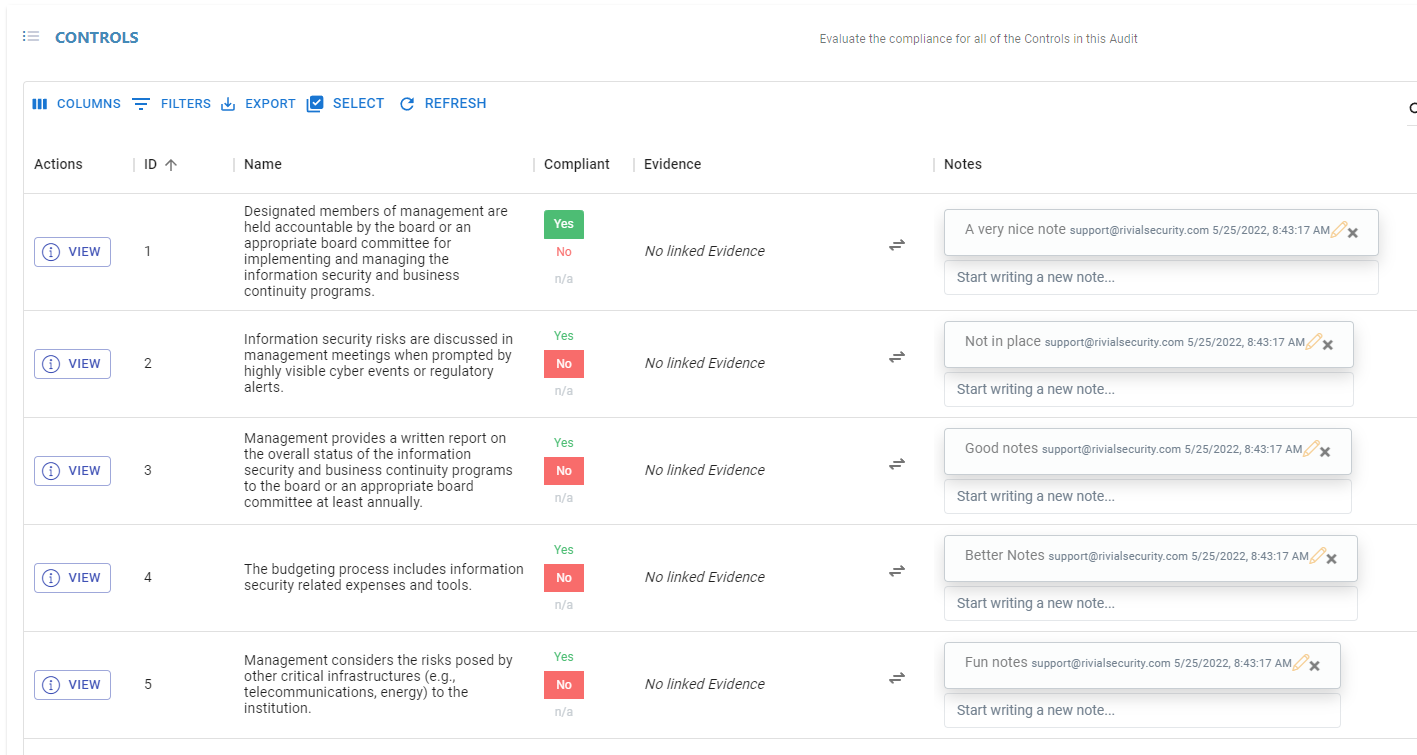
Starting an Audit with Existing Control Data
Introduction
A User can create an audit and upload a CSV file containing existing ‘Compliance’, and ‘Notes’ data for existing Controls.
Step-By-Step Guide
Navigate to the “Audits” menu.
Click the “Create” button
Select a Control Framework
Input a name for the Audit
Click the ‘Add CSV Data’ button
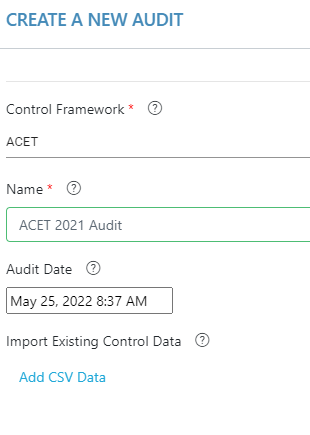
6. Click ‘Create Table’
Click the ‘Create Table’ button
Copy + Paste Control Information into the Table
Note: ‘statementNumber’ field MUST match statementNumbers of existing Controls, this will not create new controls during this process
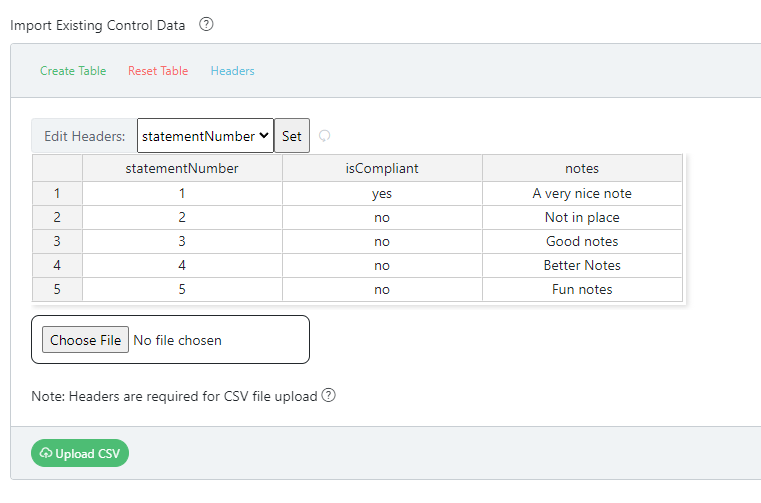
Click the ‘Upload CSV’ button (must be done before hitting Submit)
Click the ‘Submit’ button
The Audit should now be populated with existing ‘isCompliant’ and ‘notes’ data