
Setup KnowBe4 Integration
This guide provides the steps necessary for configuring an Organization to Integrate with KnowBe4.

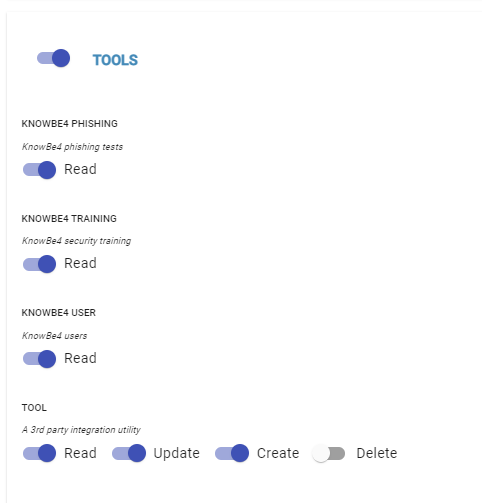
Role Permissions Required
‘Tools’ Module enabled
‘Tool’ Resource Read / Create / Update permission enabled
‘KnowBe4 Phishing’, ‘KnowBe4 Training’, and ‘KnowBe4 User’ Read permission enabled
KnowBe4 API Key
Log into your KnowBe4 Portal
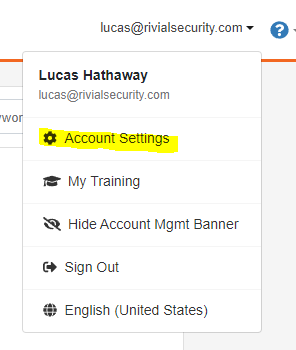
Navigate to Account Settings
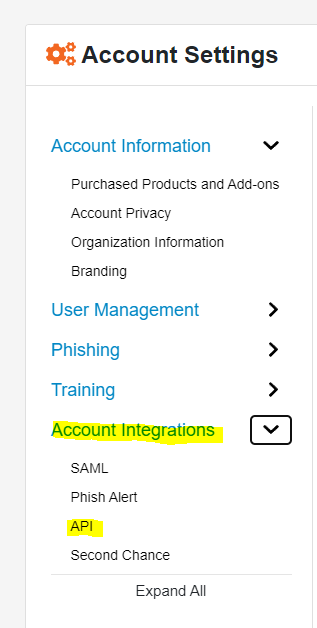
Click on ‘Account Integrations’
Click on ‘API’
Check the box next to ‘Enable Reporting Access’
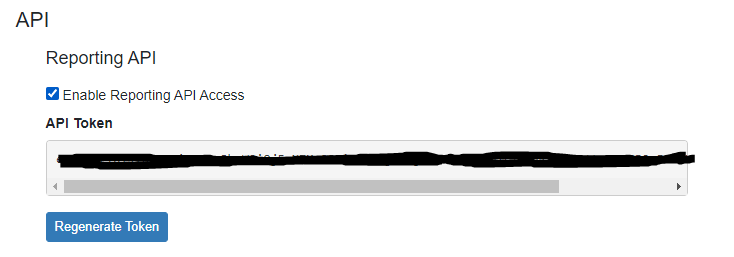
Use the existing API Token, or create a new one. (Note: Regenerating this Token will invalidate all other existing integrations)
Copy this API Token to your clipboard and proceed to the next section
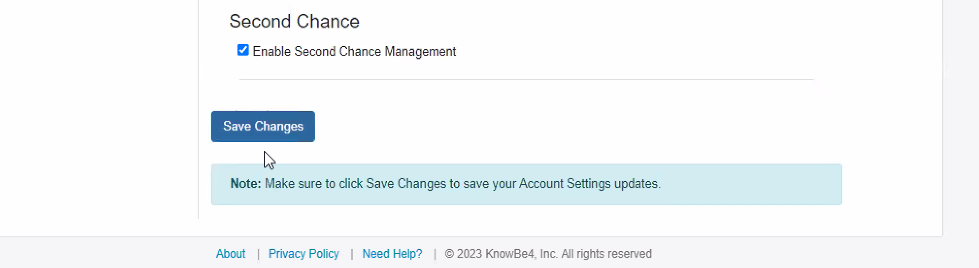
Make sure to press ‘Save Changes’ at the bottom of the KnowBe4 Configuration page.
Configure the KnowBe4 Tool in the Platform
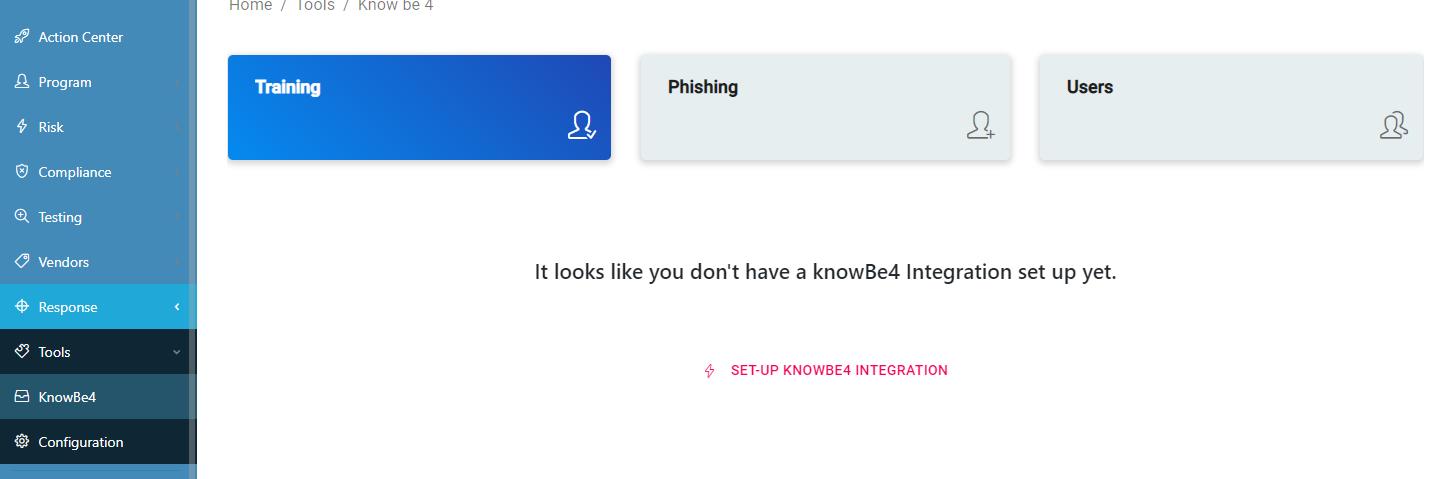
Open the KnowBe4 Page in the ‘Tools’ module
Click on the ‘Setup KnowBe4 Integration’ Button
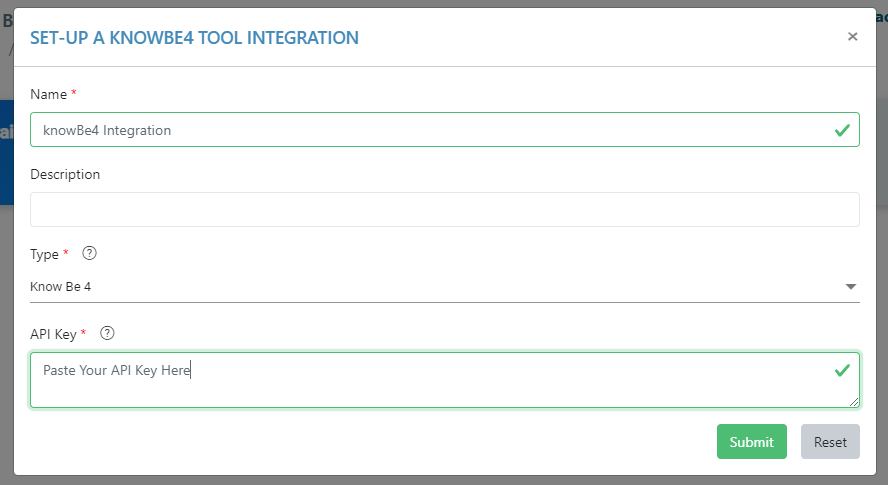
Paste the API Key into the box and press Submit
🎉Your KnowBe4 Integration is Now Configured!