Security Dashboard Information
Introduction
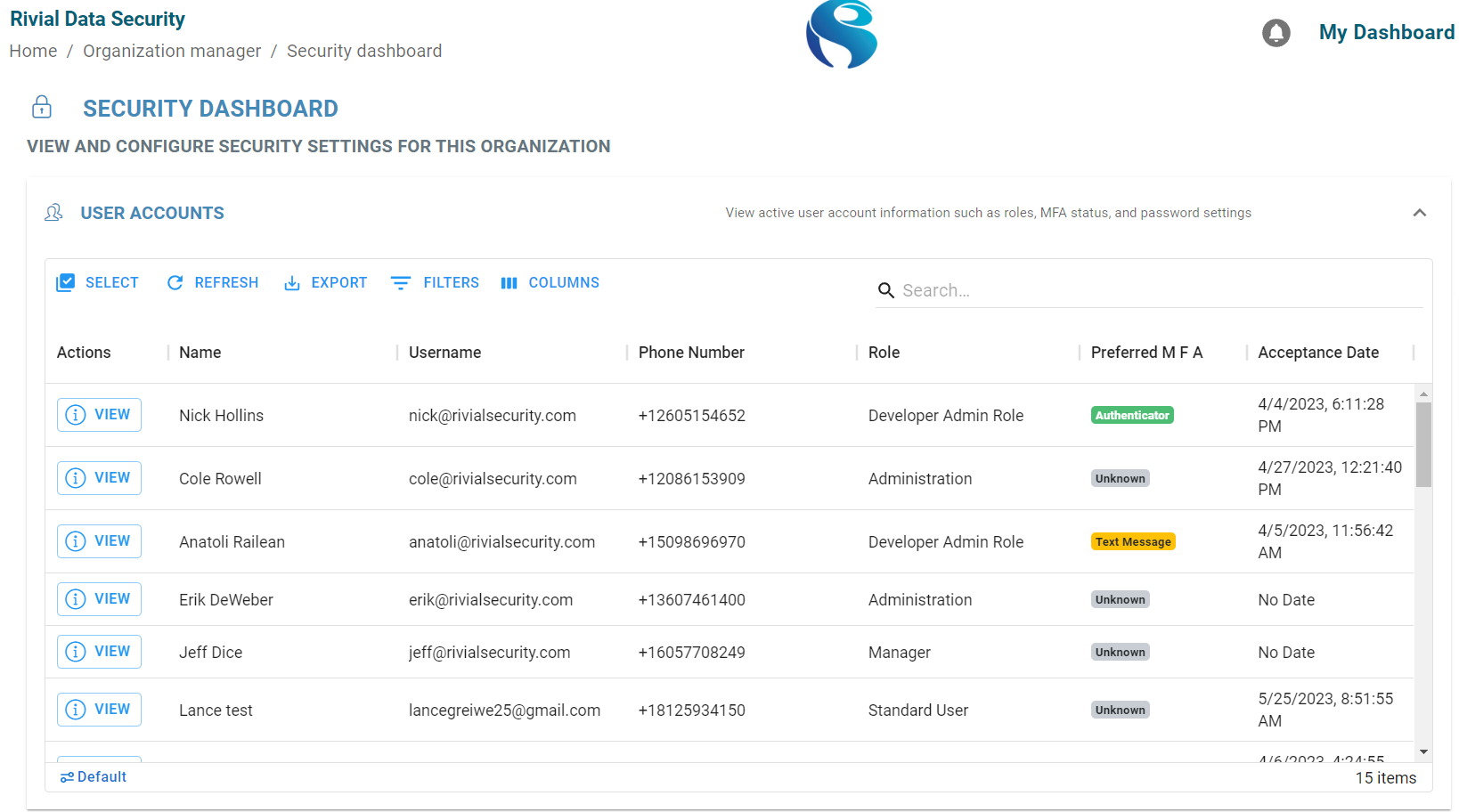
The Security Dashboard allows organizations to see user accounts information and MFA status. From this dashboard, an admin or manager can change Multi-Factor Authentication settings to require or make it optional for users to set up MFA.
User Accounts
Similar to the Point of Contacts data grid, there are multiple different columns that displays user account information. However, this data grid shows more specific security info such as:
Username - the username the user account uses to login
Role - the users role within the platform (admin, manager, standard user, etc.)
Preferred MFA - what Multi-Factor Authentication the user account uses (Text Message, Authenticator, or unknown (the user has not set up MFA))
Acceptance Date - when the user account was added to the Rivial Platform
Login Settings
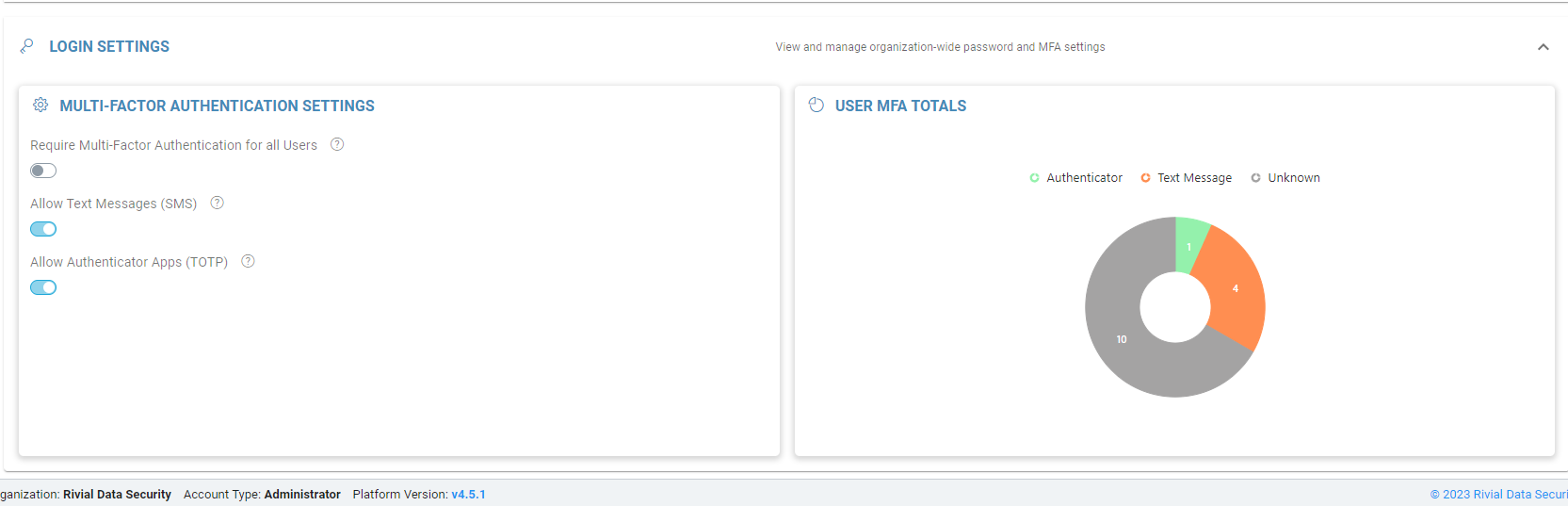
The login settings on the security dashboard allows organizations to require or not require users to set up MFA on the Rivial Platform. By default, users are able to use Text Message (SMS) or Authenticator Apps (TOTP) to setup MFA. The User MFA Totals display a chart showing the number of users who use each MFA tool.
By enabling the ‘Require Multi-Factor Authentication for all users’, users are forced to setup MFA on their next sign-in attempt. If this button is disabled, users have the option of setting up this feature.