
Risk Dashboard
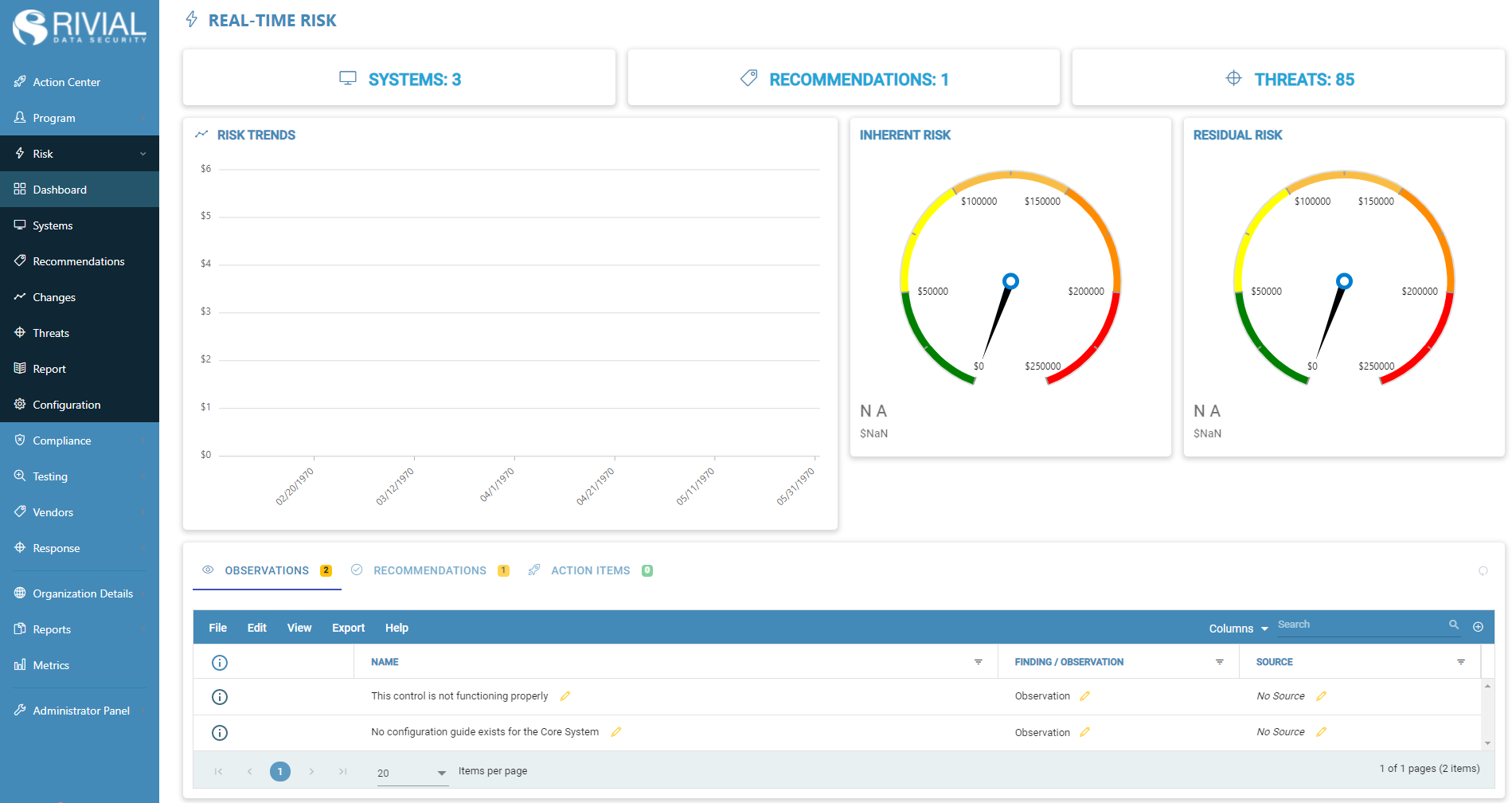
The Real-Time Risk Dashboard gives a high-level overview of the current state of an Organization’s Risk Assessment.
Systems
Use the system tab to quickly and efficiently access the Risk Systems page.
Recommendations
Access Risk Recommendations quickly and efficiently from the Risk Dashboard. One can view, edit, and delete Risk Recommendations directly from the ‘Recommendations’ tab.
Threats
Use the threats tab to access a list of potential threats to an organization.
Risk Trends
The ‘Risk Trends’ graph is used to display important information regarding Risk Trends.
Inherent Risk Chart
Use the inherent risk chart to view an organization's total yearly loss without having any Security Controls in place.
Residual Risk Chart
Use the residual risk chart to quickly access the organization's yearly loss after Risk Controls are put in place.
Observations Grid
The observations grid is used to view all of the observations that have been linked to the Risk module. One can view, edit, and delete these observations right from the grid.
Action Items
Use the action item grid to quickly access the action items that are linked to the Risk module. One can view, edit, and delete action items directly from the grid.