This article describes how to use a CSV to quickly link Controls and Evidence
From Control Details
Open the Details page of a Control
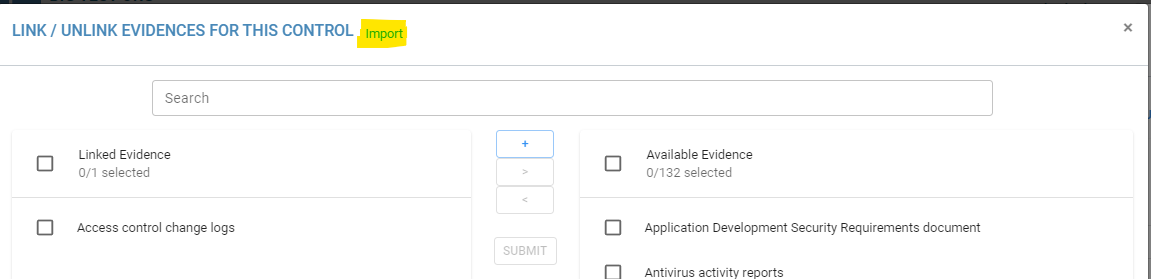
Press the “Link / Unlink Evidence” button
Press the small blue ‘Import’ button
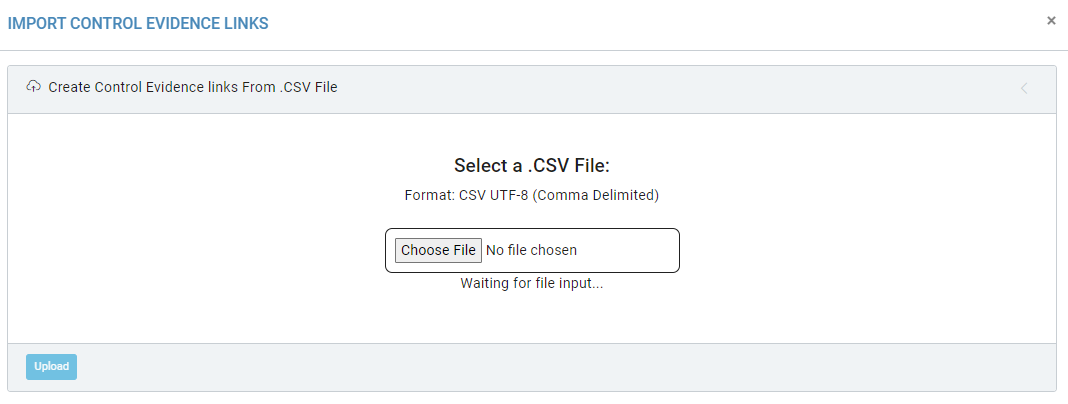
Prepare the CSV File for Import
The CSV File should have a header for ‘Statement Number’ that corresponds to the unique Statement Number of a Compliance Control and one for ‘Evidence’, which needs to match the Name of an Evidence exactly
View Example Input
Statement Number
Evidence
1
Board Package (or delegated board committee report) and Meeting Minutes since last exam
1
Financial Institution's Policy, Standards and Guidelines specific to: Business Continuity Planning (BCP) and Disaster Recovery (DR)
1
Financial Institution's Policy, Standards and Guidelines specific to: Information Security
1
Information Technology (IT) Job Descriptions
1
Information Technology (IT) Organizational Chart
1
Information Technology (IT) Project Listing
1
Information Technology (IT) Steering Committee Minutes since last exam
2
Board Package (or delegated board committee report) and Meeting Minutes since last exam
2
Information Technology (IT) Steering Committee Minutes since last exam
3
Annually Report to the Board of Directors (or delegated board committee) on Information Security Program
3
Board Package (or delegated board committee report) and Meeting Minutes since last exam
3
Business Continuity Planning (BCP) and Disaster Recovery (DR) Test Results (if separate)
3
Information Technology (IT) Steering Committee Minutes since last exam