Editing a Custom Report Template
Introduction
It is sometimes necessary to create a new version of an existing custom report. Rather than recreating the new report from scratch this guide outlines a method which can be used to create a second custom report based on the first even if it utilizes custom widgets.
Step-by-Step Guide
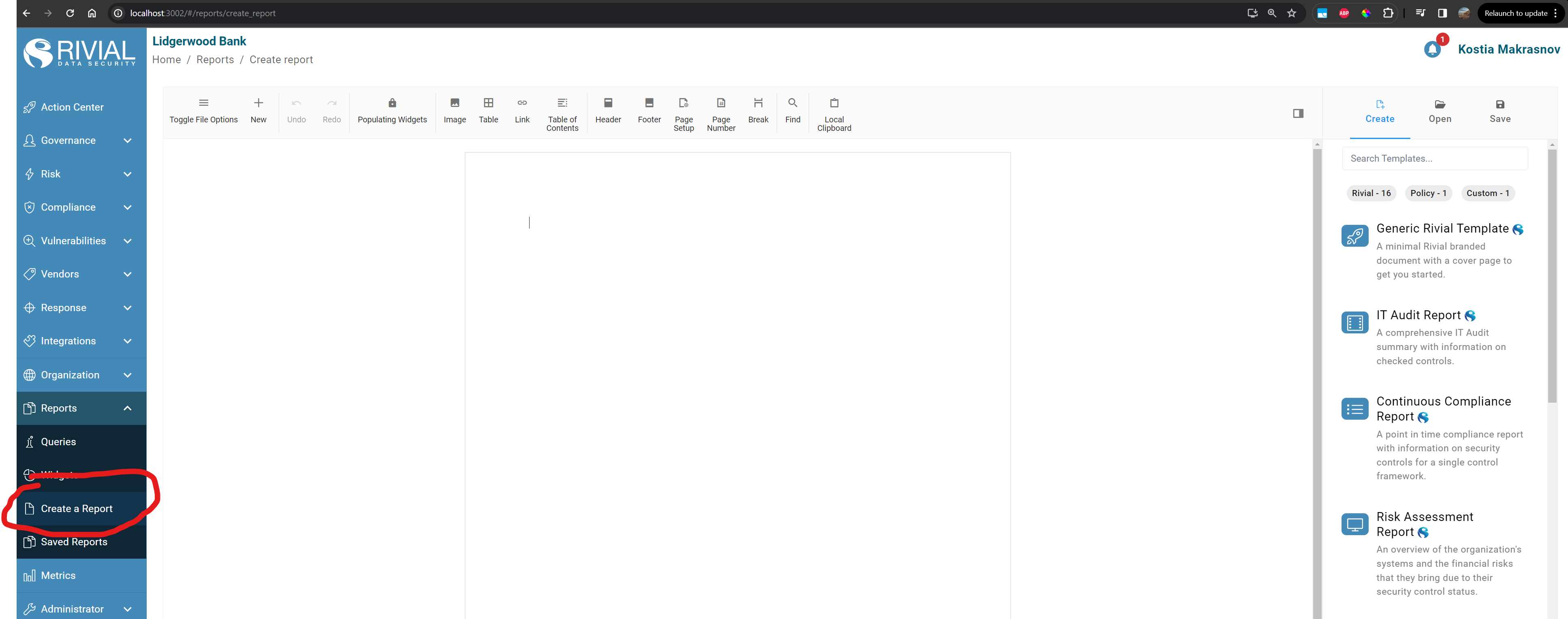
Go to the “Create a Report” page
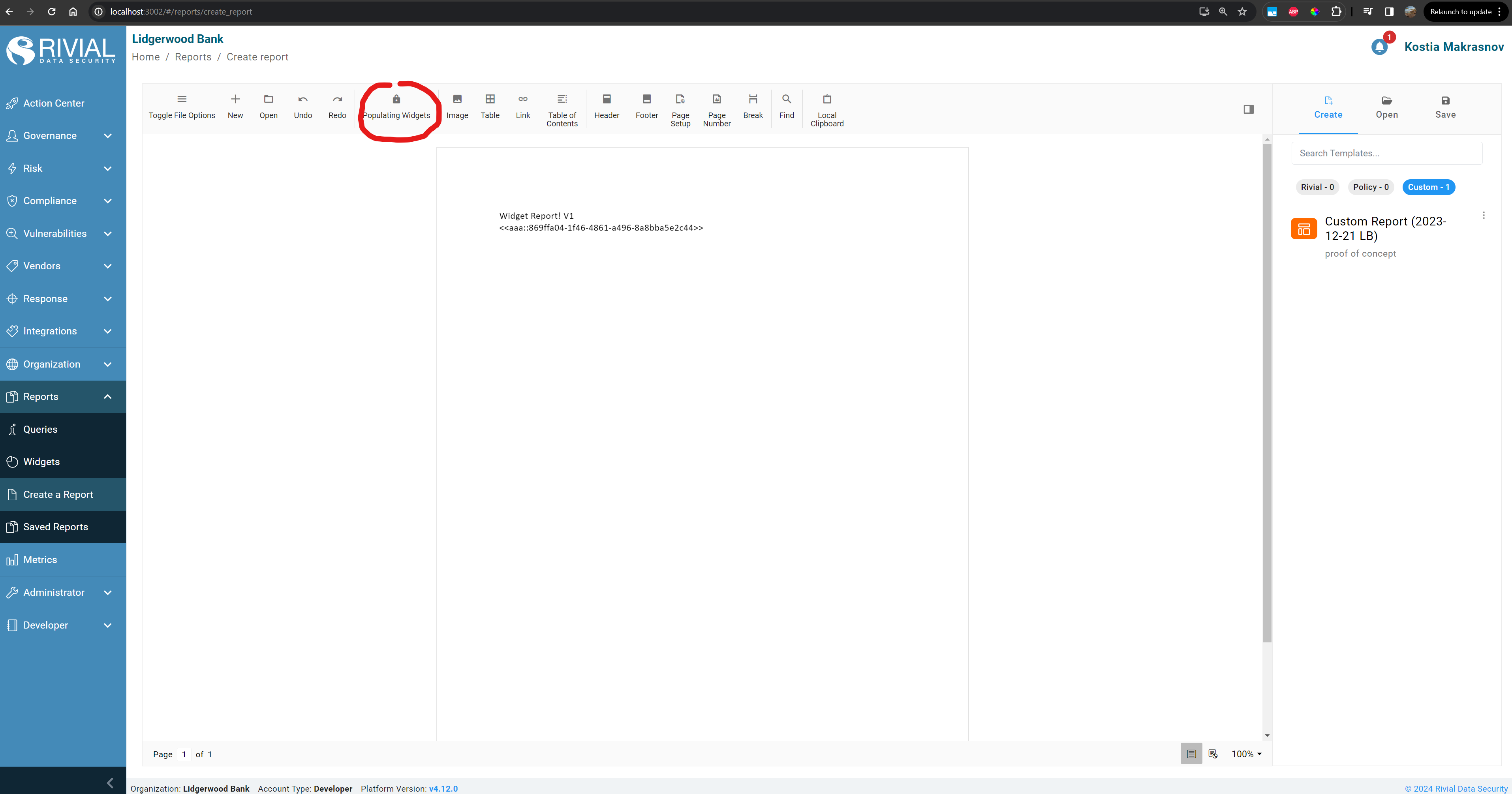
Press on “Populate Widgets” Toggle in the Toolbar - it should say “Preserving Placeholders”
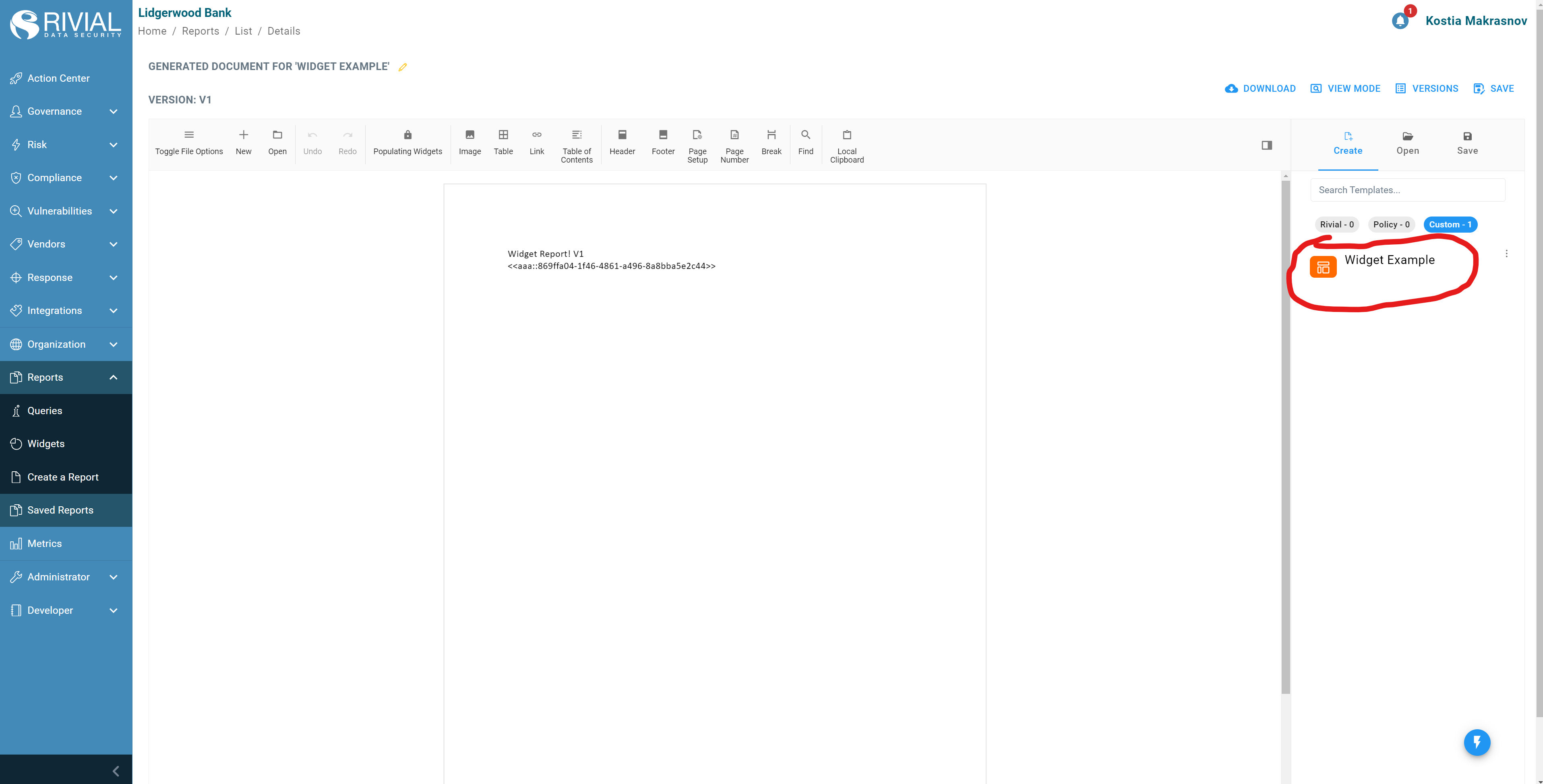
Go to the create tab in the sidebar and press on a custom report you would like to edit/update, wait for it to generate
Make the edits in the document editor inside the browser
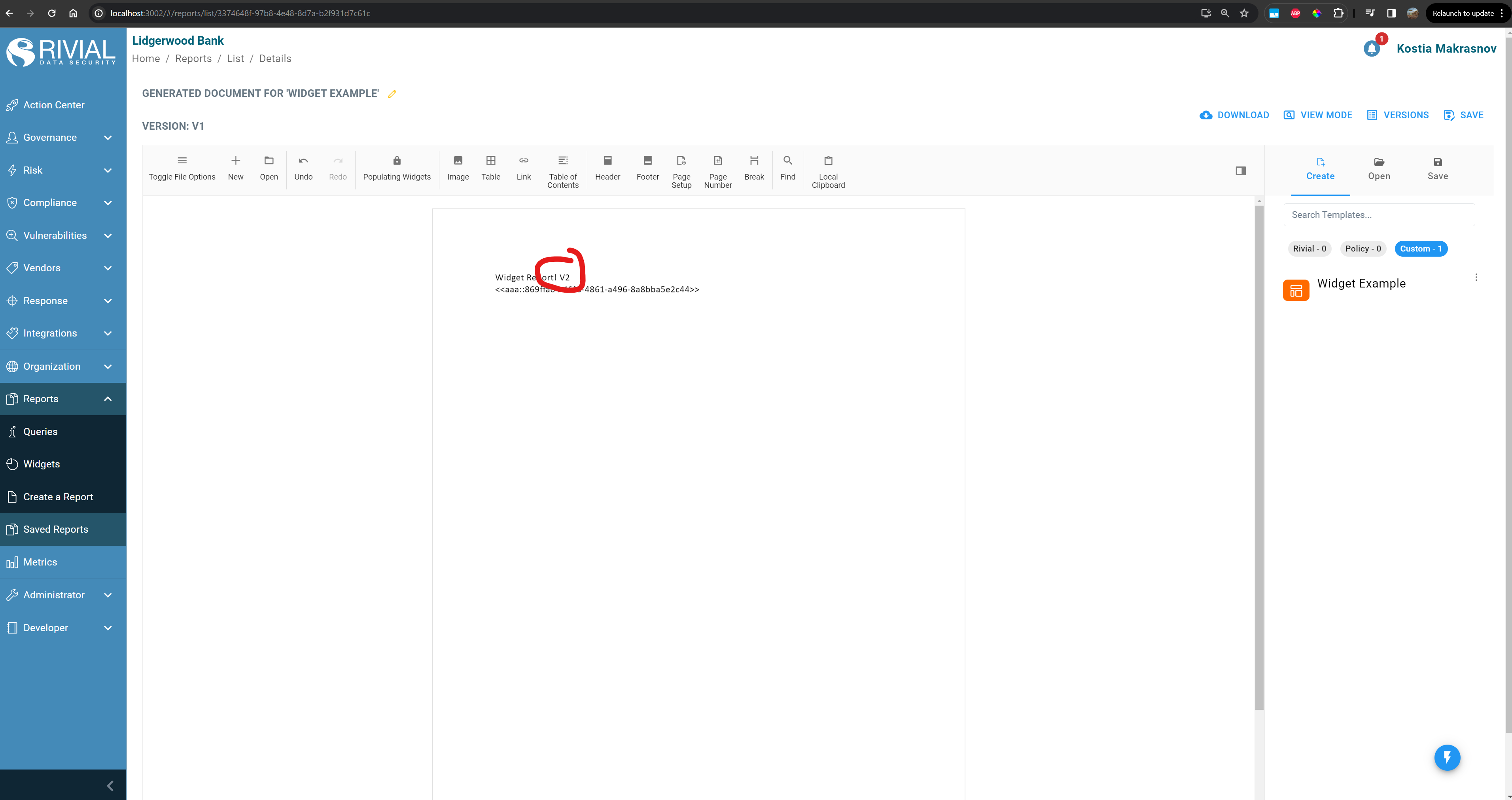
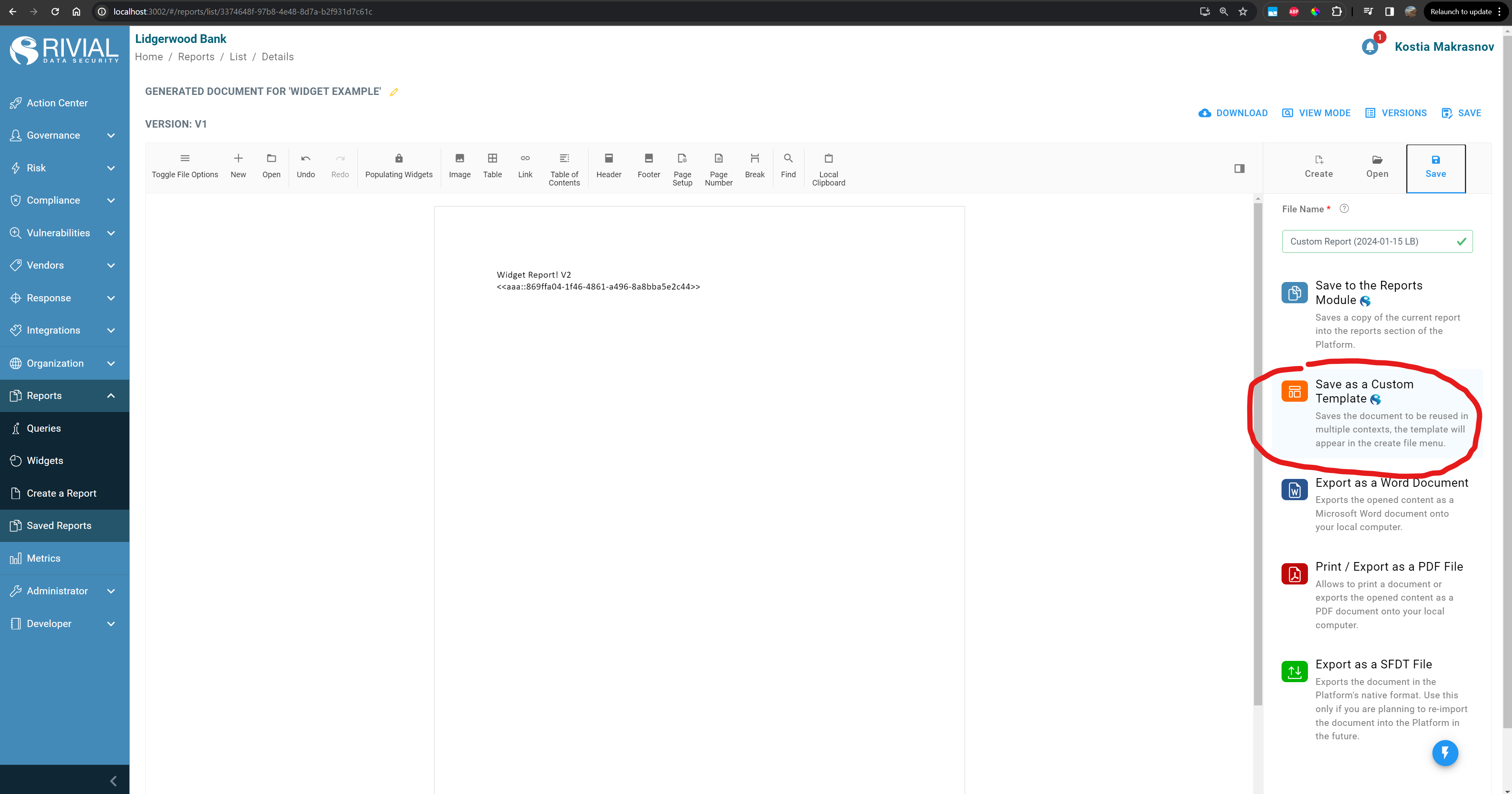
Save the editor state as a second document report in the “Save” tab of the side Bar