
Board Report
Introduction
Use the Board Report to generate a report that creates a concise overview of a security program.
Board Report Configuration Menu
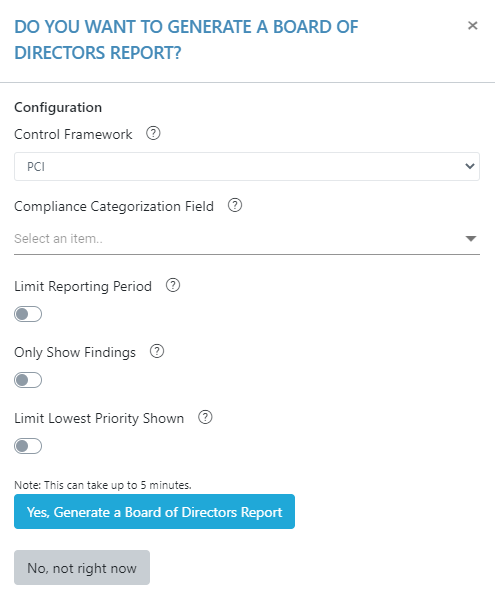
Control Framework
Select the control framework that contains the desired compliance data for the Board Report.
Compliance Categorization Field
One can use this field to organize the graph that features Compliance Controls.
Limit Reporting Period
One can use this field to select the time period from which the report will collect data.
Time Span
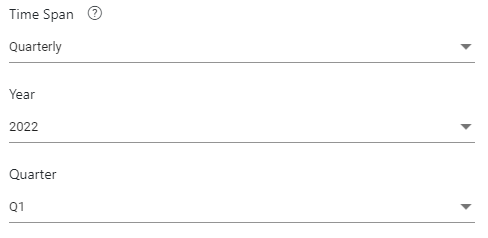
Use the time span to select the duration of time in which the report will collect data.
Only Show Findings
One can use this filter to switch between ‘Only Findings’ and ‘Observations and Findings’ on the board report. Use this filter to view only the most important observations.
Limit Lowest Priority Shown
This filter may be used to filter out lower-priority observations that may not be as influential as the higher-priority observations.