
Action Items
Introduction
A specific task that an Organization or Point of Contact should perform to improve the security program. Usually in response to a Recommendation.
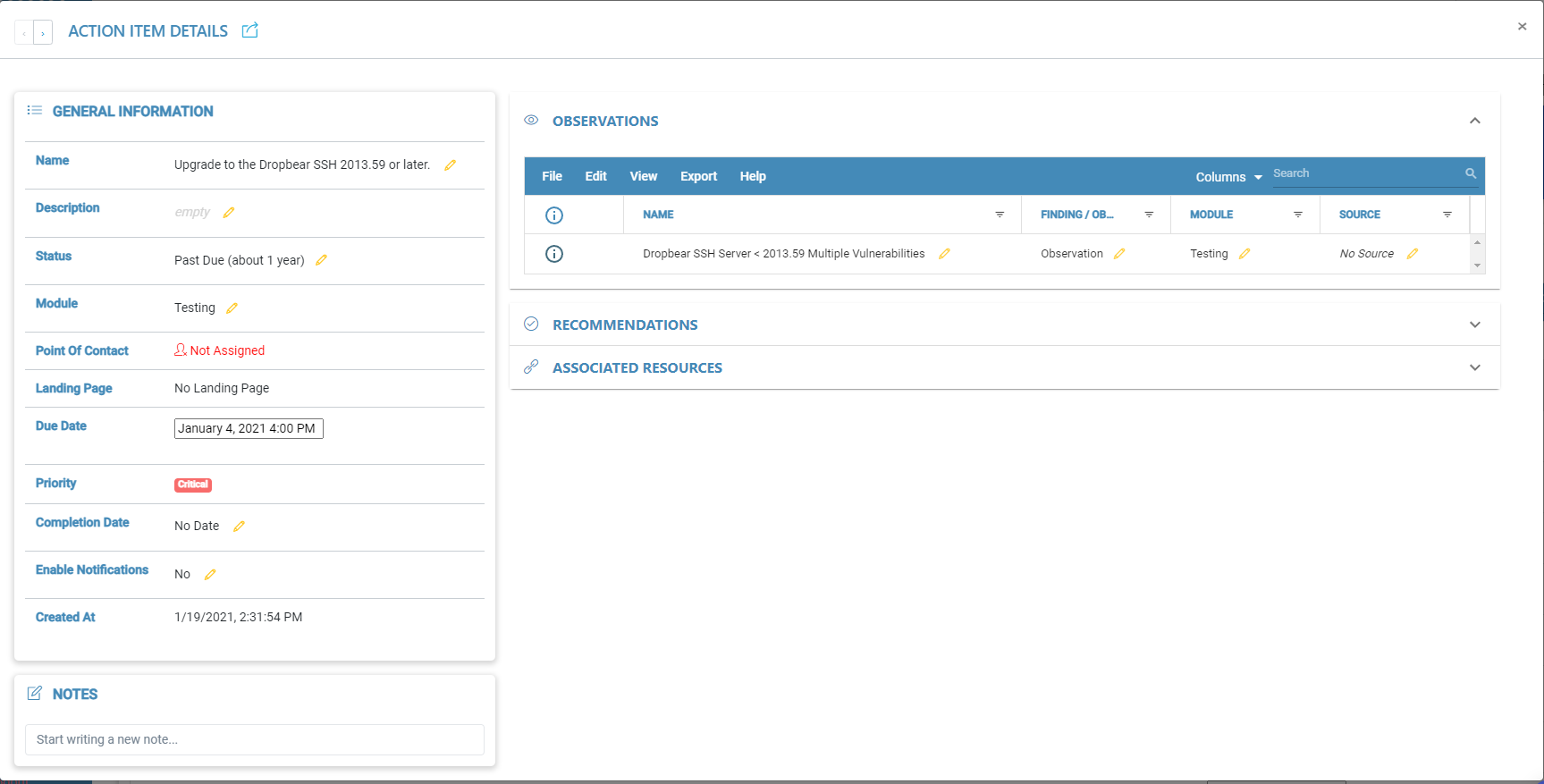
Action Item Details Page
Evidence Status
The ‘Evidence Status’ is the current standing of the evidence. There are five status values that can be chosen for an action item. These status types are as follows: Proposed, In-Progress, On Hold, Past Due, and Complete.
Module
The ‘Module’ section of action item details is to keep track of what module the action item is being used in. It is important to have the correct module selected for the action item to ensure that it is being tracked properly.
Point Of Contact
Points of Contact are users that are involved or need to be notified about something. The point of contact assigned to an action item is responsible for following out the action and managing the action item itself.
Landing Page
The action item landing page button will redirect the user to a page to respond to the action item.
Due Date
The due date for an action item is the deadline for which an action item is to be completed and reviewed. If the action item is not completed before the due date, the status will change to pass due and a notification will be sent out to assigned points of contact via email. (Notifications will only be sent out if notifications are enabled.)
Priority
The priority is used to inform users of the value of the action item and whether or not it will take priority over other action items.
Completion Date
The assigned completion date is used to inform users of when the action needs to be completed.
Notes
May be used to record important information about the action item that isn't listed on the details page.