
Action Center
The Action Center displays Action Items from all elements of the security program.
Action Center Home Page
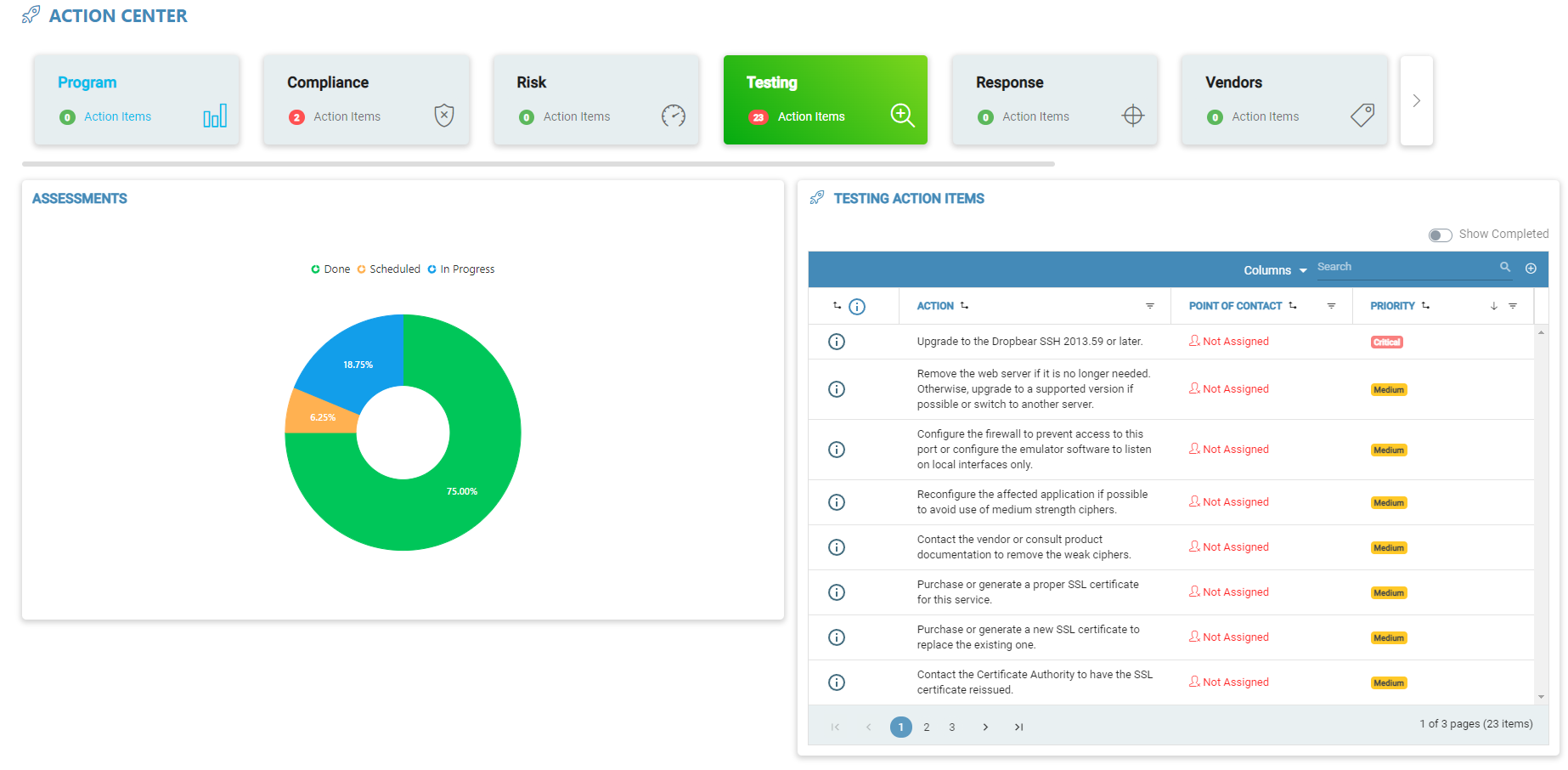
Interactive Tiles
The interactive tile bar features all of the modules in the application that have action items attached. This bar can be used to navigate each module and view the individual action items that are attached to the module.
Informational Graph
On the left side of the action center home screen, there is an informational graph that will provide information on the selected module. Each module has a chart and a graph with important information regarding the action items included in the module that is selected in the interactive bar. One can switch between these two displays by clicking on the chart or graph that is being displayed.
Action Item Grid
The action center features a grid that lists out all of the action items that are linked to the selected module. One can locate this grid on the right side of the action center home page. The action item grid may be used to view, edit, and delete action items throughout the entire application. The grid also includes a switch that will enable the user to view completed action items as well.